First Helper Software Overhead Checklist
A practical first-helper software overhead checklist for solo contractors before adding a second login, AI receptionist, payments, and team scheduling costs.
June 13, 2026 · 6 min read · LightWork Team
Overview
Hiring your first helper does not just add payroll. It can change your software bill overnight. TechRadar published a June 2, 2026 review of Jobber that called out the sharp jump many home-service operators face when they move from a solo plan to team access. Jobber's own pricing page shows why this matters: the first extra login is not just a login. It can pull scheduling, reminders, quoting, payments, and AI intake into a bigger monthly overhead decision. Before you post the job ad, run the software math.
Build your implementation path with AI estimating workflows, pricing options, and guided setup.
The Core Answer
Treat the first helper like a new cost center, not just another pair of hands. Payroll is the obvious cost. The less obvious cost is the operating system you now need to keep that person productive.
A solo contractor can often live with a simple quote tool, calendar, and payment link. Once a helper needs access, you may need shared scheduling, customer notes, job photos, reminders, permissions, payroll prep, and a clean handoff from quote to invoice.
That is where a cheap monthly plan can become real overhead. Price it before you hire so the new helper does not have to cover surprise software costs on top of wages, insurance, truck time, and callbacks.
What to Price Before the First Login
Write down the monthly cost at your current solo setup, then the monthly cost once one helper needs access. Do not stop at the base subscription. Include add-on users, AI receptionist or call-answering tools, text messaging, payment processing, routing, QuickBooks sync, job costing, and any website or lead-capture features you would turn on after hiring.
The point is not to avoid better software. The point is to make sure the extra overhead is attached to a revenue plan. If the new setup helps you book two more profitable jobs a month, it may be worth it. If it mostly adds admin features you will not use, wait.
- Current monthly software cost
- One-helper monthly software cost
- Extra booked jobs needed to pay for the jump
- Features the helper actually needs in the field
- Features that can wait until the second or third hire
Use a Simple Break-Even Rule
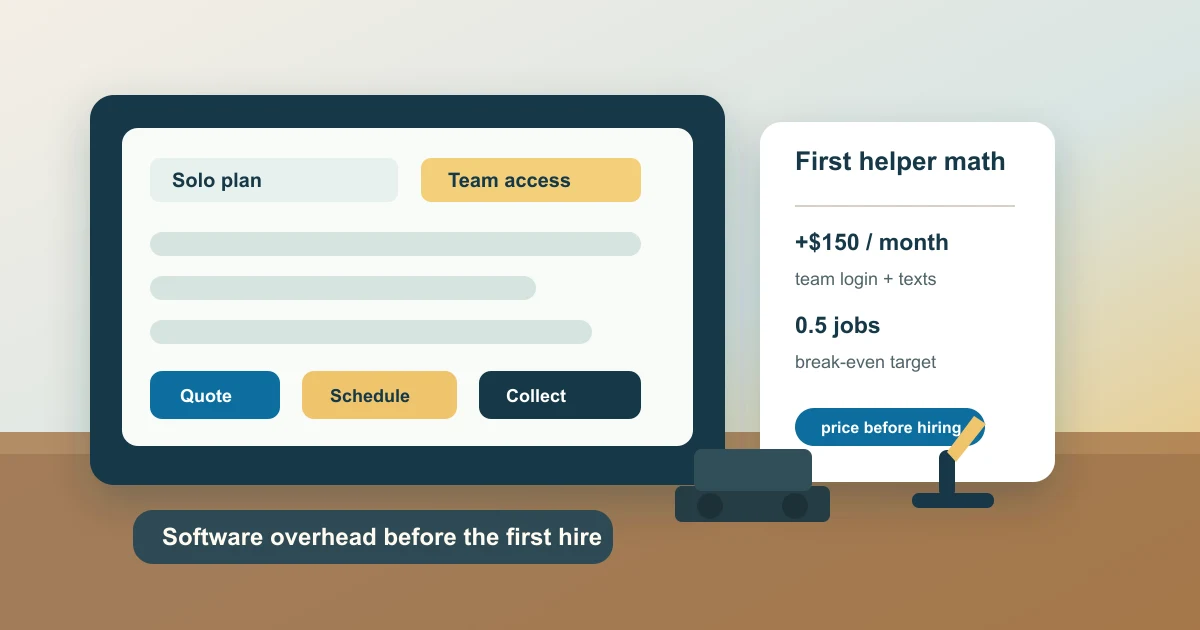
Take the new monthly software increase and divide it by gross profit per average job. If the software jump is $150 a month and your average gross profit is $375 per booked job, the tool needs to help you win or save roughly half a job per month.
That is a reasonable bar. But if the jump is $500 and your average gross profit is $180, the software now needs to create almost three extra jobs a month just to break even. That may still work for a busy plumbing or HVAC shop. It may not work for a handyman who is hiring part-time help.
Put this math beside your hiring plan. If your first helper is mostly there to finish current jobs faster, choose software that improves scheduling and job documentation. If the helper is meant to grow revenue, prioritize quote speed, follow-up, lead capture, and payment collection.
How LightWork Connects to This
If your biggest leak is unqualified phone calls, do not buy a bigger field-service stack just to filter leads. LightWork can put a ballpark estimate flow on your site so customers see a realistic range before they call. That lets a solo operator or first-helper team protect time without adding a heavy office workflow too early.
Plain-English Terms In This Article
- Callback: A return visit to fix or re-check work, often reducing profit if unmanaged.
- Jobber: A contractor software tool used for quotes, scheduling, and client follow-up.
Frequently Asked Questions
What software costs should I check before hiring my first helper?
Check the cost of moving from solo access to team access, extra users, reminders, text messaging, payments, call answering, routing, accounting sync, and job costing. Compare that increase against gross profit per average job.
Should a solo contractor upgrade software before hiring?
Only if the upgrade removes a real bottleneck. Scheduling, job notes, quote follow-up, and payment collection are usually worth pricing first. Nice-to-have reporting can wait until the work volume supports it.
How do I know if the software jump is worth it?
Divide the monthly increase by your average gross profit per job. That tells you how many extra jobs the software needs to help you win, save, or collect each month before it pays for itself.
Next Step
Pair this content with a live estimate form and response automation so intent turns into booked work.
Check out more of our stories



Stay updated
Keep up with the latest news and updates from LightWork. Follow us on social to get new strategy posts first.