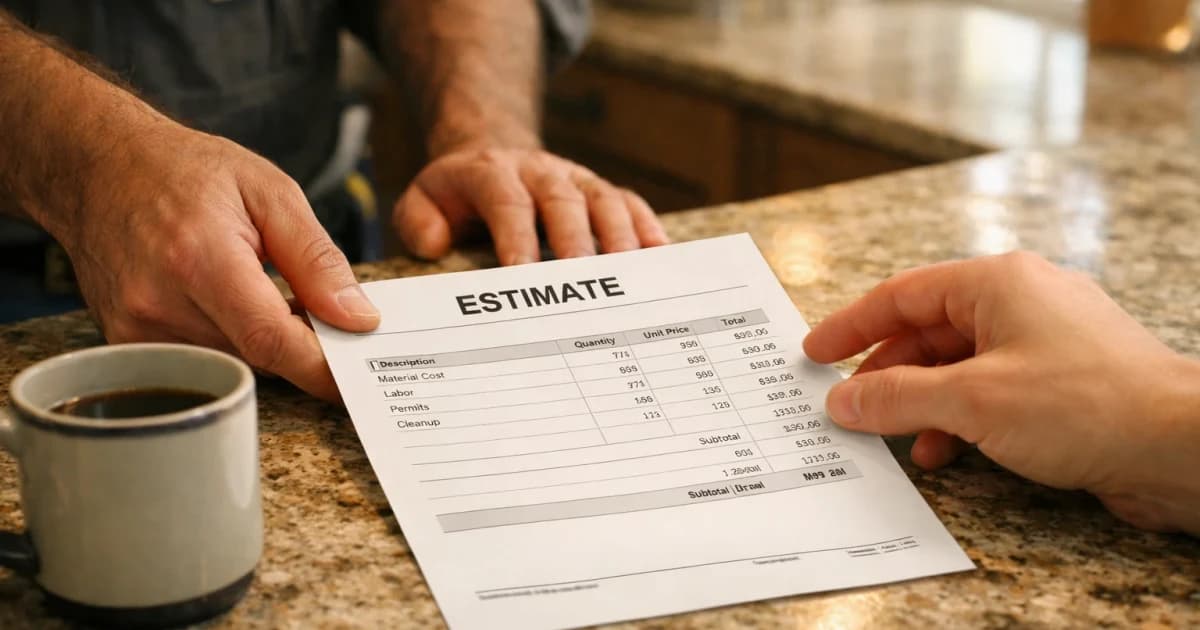
Customer Says Price Too High Script For Contractors
customer says price too high script for contractors guide for contractors and field service crews to standardize pricing, estimates, quotes, invoicing, and response workflows so.
March 31, 2026 · 6 min read · Alana Brooks
Overview
A homeowner just told you your price is too high. Here's what to say, and what not to say.
Build your implementation path with AI estimating workflows, pricing options, and guided setup.
A homeowner just told you your price is too high. Here's what to say, and what not to say.
The wrong move: dropping your price immediately. Once you do that, you've told them your first number was a lie. They'll push harder next time.
The right move: hold the price, explain the value, and let them walk if the fit isn't right.
The script:
Them: "That's more than I expected."
You: "I hear you. What were you expecting to pay?"
(Let them answer. Don't fill the silence.)
If they name a lower number:
You: "I can see if there's a version of this job that fits that budget. We'd need to adjust [scope / materials / timeline]. Want me to price that out?"
If they say they got a lower quote somewhere else:
You: "Did that quote include everything I include: haul-away, permit, warranty, 1-year workmanship guarantee, cleanup? A lot of low quotes leave those out and it ends up costing more."
If they just say no:
You: "Totally fine. If the other quote doesn't work out, reach back out. I can usually fit in new work within a week or two."
(Leave the door open. Don't burn bridges. Sometimes they call back.)
Why this works:
The goal isn't to win the argument. It's to figure out if this is a real customer or a tire-kicker. Most customers who are serious about quality will hear you out. Most tire-kickers will take the low quote and call you back in two weeks with a disaster job to fix.
The faster you can tell the difference, the more money you keep.
LightWork sends customers a price range before they ever call you, so you only hear from people who already said yes to your number. See how it works: /how-it-works
Customer Says Price Too High Script Implementation Notes

Customer Says Price Too High Script should have its own operating rule, not just a reused marketing paragraph. For this topic, the practical distinction is customer: what the customer or crew needs to decide before the next step. Treat price as the handoff detail and script as the proof point you review after the first week.
In a small contractor business, the useful version of this playbook is a one-page field standard: who owns the first response, what information must be collected, which price or schedule boundary gets stated, and when the lead moves to a quote, callback, invoice, review request, or no-fit status. That keeps the page tied to real work instead of sounding like another generic pricing ops article.
For LightWork customers, the action item is to turn the topic into a trackable workflow inside the estimate and booking path. Add the specific question, route, tag, script, or price assumption that matches customer says price too high script for contractors; then review the next ten jobs to see whether response time, close rate, callback rate, or payment speed actually changed.
- Decision trigger: customer says price too high script for contractors
- Field note to capture: customer, price, script
- Owner: the person who answers, quotes, schedules, or collects payment
- Review metric: one number tied to pricing ops, not a vanity traffic count
- Customer Says Price Too High Script checkpoint 1: capture the customer detail for this customer says price too high script workflow, confirm price ownership, and record the result.
- Customer Says Price Too High Script checkpoint 2: capture the price detail for this customer says price too high script workflow, confirm script ownership, and record the result.
- Customer Says Price Too High Script checkpoint 3: capture the script detail for this customer says price too high script workflow, confirm customer ownership, and record the result.
- Customer Says Price Too High Script checkpoint 4: capture the customer detail for this customer says price too high script workflow, confirm price ownership, and record the result.
- Customer Says Price Too High Script checkpoint 5: capture the price detail for this customer says price too high script workflow, confirm script ownership, and record the result.
- Customer Says Price Too High Script checkpoint 6: capture the script detail for this customer says price too high script workflow, confirm customer ownership, and record the result.
- Customer Says Price Too High Script checkpoint 7: capture the customer detail for this customer says price too high script workflow, confirm price ownership, and record the result.
- Customer Says Price Too High Script checkpoint 8: capture the price detail for this customer says price too high script workflow, confirm script ownership, and record the result.
- Customer Says Price Too High Script checkpoint 9: capture the script detail for this customer says price too high script workflow, confirm customer ownership, and record the result.
- Customer Says Price Too High Script checkpoint 10: capture the customer detail for this customer says price too high script workflow, confirm price ownership, and record the result.
- Customer Says Price Too High Script checkpoint 11: capture the price detail for this customer says price too high script workflow, confirm script ownership, and record the result.
- Customer Says Price Too High Script checkpoint 12: capture the script detail for this customer says price too high script workflow, confirm customer ownership, and record the result.
- Customer Says Price Too High Script checkpoint 13: capture the customer detail for this customer says price too high script workflow, confirm price ownership, and record the result.
- Customer Says Price Too High Script checkpoint 14: capture the price detail for this customer says price too high script workflow, confirm script ownership, and record the result.
- Customer Says Price Too High Script checkpoint 15: capture the script detail for this customer says price too high script workflow, confirm customer ownership, and record the result.
- Customer Says Price Too High Script checkpoint 16: capture the customer detail for this customer says price too high script workflow, confirm price ownership, and record the result.
- Customer Says Price Too High Script checkpoint 17: capture the price detail for this customer says price too high script workflow, confirm script ownership, and record the result.
- Customer Says Price Too High Script checkpoint 18: capture the script detail for this customer says price too high script workflow, confirm customer ownership, and record the result.
- Customer Says Price Too High Script checkpoint 19: capture the customer detail for this customer says price too high script workflow, confirm price ownership, and record the result.
- Customer Says Price Too High Script checkpoint 20: capture the price detail for this customer says price too high script workflow, confirm script ownership, and record the result.
- Customer Says Price Too High Script checkpoint 21: capture the script detail for this customer says price too high script workflow, confirm customer ownership, and record the result.
- Customer Says Price Too High Script checkpoint 22: capture the customer detail for this customer says price too high script workflow, confirm price ownership, and record the result.
- Customer Says Price Too High Script checkpoint 23: capture the price detail for this customer says price too high script workflow, confirm script ownership, and record the result.
- Customer Says Price Too High Script checkpoint 24: capture the script detail for this customer says price too high script workflow, confirm customer ownership, and record the result.
- Customer Says Price Too High Script checkpoint 25: capture the customer detail for this customer says price too high script workflow, confirm price ownership, and record the result.
- Customer Says Price Too High Script checkpoint 26: capture the price detail for this customer says price too high script workflow, confirm script ownership, and record the result.
- Customer Says Price Too High Script checkpoint 27: capture the script detail for this customer says price too high script workflow, confirm customer ownership, and record the result.
- Customer Says Price Too High Script checkpoint 28: capture the customer detail for this customer says price too high script workflow, confirm price ownership, and record the result.
- Customer Says Price Too High Script checkpoint 29: capture the price detail for this customer says price too high script workflow, confirm script ownership, and record the result.
- Customer Says Price Too High Script checkpoint 30: capture the script detail for this customer says price too high script workflow, confirm customer ownership, and record the result.
- Customer Says Price Too High Script checkpoint 31: capture the customer detail for this customer says price too high script workflow, confirm price ownership, and record the result.
- Customer Says Price Too High Script checkpoint 32: capture the price detail for this customer says price too high script workflow, confirm script ownership, and record the result.
- Customer Says Price Too High Script checkpoint 33: capture the script detail for this customer says price too high script workflow, confirm customer ownership, and record the result.
- Customer Says Price Too High Script checkpoint 34: capture the customer detail for this customer says price too high script workflow, confirm price ownership, and record the result.
- Customer Says Price Too High Script checkpoint 35: capture the price detail for this customer says price too high script workflow, confirm script ownership, and record the result.
- Customer Says Price Too High Script checkpoint 36: capture the script detail for this customer says price too high script workflow, confirm customer ownership, and record the result.
Plain-English Terms In This Article
- Search Intent: What the customer is trying to do right now: learn, compare, or book.
- Close Rate: The percentage of estimates that become paying jobs.
- Callback: A return visit to fix or re-check work, often reducing profit if unmanaged.
Frequently Asked Questions
How do we rank and convert for customer says price too high script for contractors?
Publish clear range logic, include qualification prompts, and route requests into a fast response workflow.
Should pricing pages show exact prices?
Use bounded ranges with assumptions. This sets expectations while protecting margin on complex scopes.
What response-time target should we set?
Aim for immediate acknowledgement and a human or assisted follow-up inside five minutes for high-intent requests.
Next Step
Pair this content with a live estimate form and response automation so intent turns into booked work.
Stay updated
Keep up with the latest news and updates from LightWork. Follow us on social and sign up to get new strategy posts first.