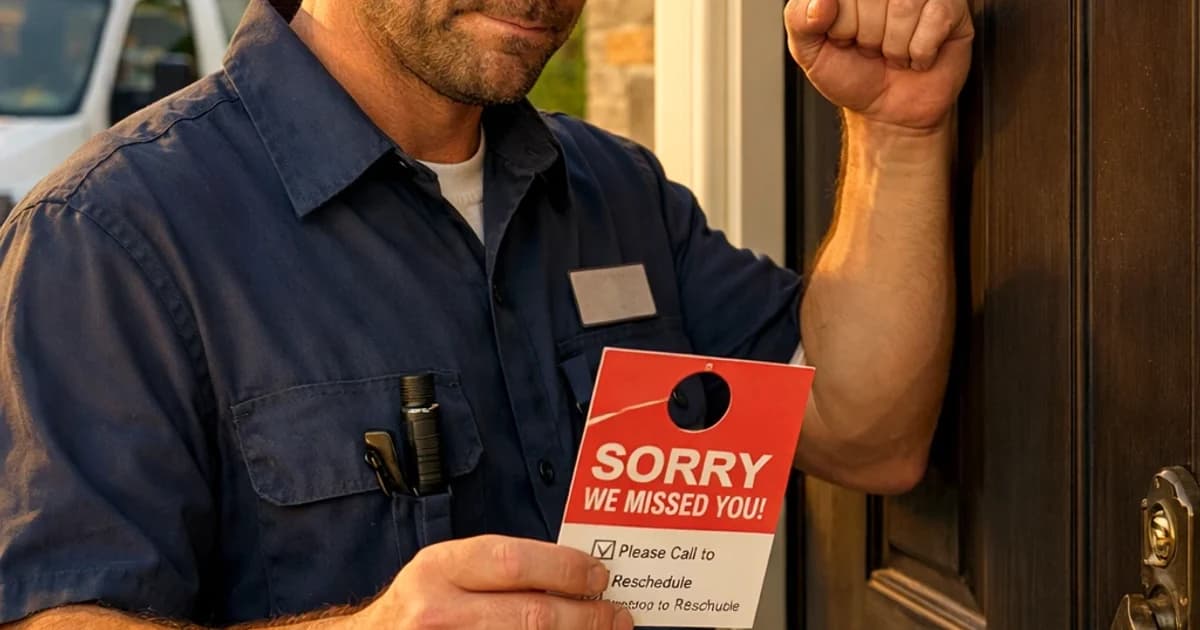
Customer No-Answer Door Policy for Techs
A simple no-answer door policy that protects your schedule, cuts disputes, and keeps your day moving.
March 28, 2026 · 7 min read · Alana Brooks
You drive to the job. Nobody is home. You call. No answer. You knock. Nothing. Now what?
Without a clear policy, you either wait indefinitely (losing your next job), leave and get a bad review, or get into a dispute about whether you showed up at all. Here is how to handle it every time.
The Core Answer
Call once. Text once. Wait 10 minutes. Leave.
The text should say: "Hey, I am here for your [service] appointment. I will wait 10 minutes and then I will need to reschedule."
Take a photo of your truck in front of the address with a timestamp. Note it in your job record. Move on. You have other jobs to get to.
When It Gets More Complicated
1. The customer wants you to come back the same day. If you can, charge a return trip fee. Your time and gas for the first trip were wasted. A $50-75 return charge is not unreasonable and prevents it from happening again.
2. The customer has no-showed more than once. Flag them. Add a note to their record. Before you book them again, get a confirmation text the morning of the appointment: "Just confirming your appointment today at [time]. Reply to confirm." If they do not confirm, do not dispatch.
3. You are afraid of the bad review. This is the biggest trap. Eating no-shows to avoid reviews trains customers to do it again. A clear policy, communicated upfront, protects you and sets expectations. Most customers understand. The ones who do not were going to be problems anyway.
How to Actually Do It
1. Write your no-show policy now. Something like: "If we arrive and no one is home, we will call and text once. After 10 minutes we will need to reschedule. A trip fee of $75 applies to any rescheduled appointment following a no-show."
2. Add this policy to your booking confirmation. Every customer sees it before the appointment.
3. On the day of the appointment, send a reminder text in the morning: "Reminder: we have you scheduled for [time] today at [address]. Reply if anything has changed."
4. When you arrive and no one is there, follow the policy exactly. Call once, text once, wait 10 minutes, take a timestamp photo, leave.
5. When rescheduling a no-show, collect the trip fee upfront or add it to the next invoice. Put it in writing.
Customer No Answer Door Policy For Techs Implementation Notes
Customer No Answer Door Policy For Techs should have its own operating rule, not just a reused marketing paragraph. For this topic, the practical distinction is customer: what the customer or crew needs to decide before the next step. Treat answer as the handoff detail and policy as the proof point you review after the first week.
In a small contractor business, the useful version of this playbook is a one-page field standard: who owns the first response, what information must be collected, which price or schedule boundary gets stated, and when the lead moves to a quote, callback, invoice, review request, or no-fit status. That keeps the page tied to real work instead of sounding like another generic lead ops article.
For LightWork customers, the action item is to turn the topic into a trackable workflow inside the estimate and booking path. Add the specific question, route, tag, script, or price assumption that matches customer no answer at door policy for service techs; then review the next ten jobs to see whether response time, close rate, callback rate, or payment speed actually changed.
- Decision trigger: customer no answer at door policy for service techs
- Field note to capture: customer, answer, policy
- Owner: the person who answers, quotes, schedules, or collects payment
- Review metric: one number tied to lead ops, not a vanity traffic count
- Customer No Answer Door Policy For Techs checkpoint 1: capture the customer detail for this customer no answer door policy for techs workflow, confirm answer ownership, and record the result.
- Customer No Answer Door Policy For Techs checkpoint 2: capture the answer detail for this customer no answer door policy for techs workflow, confirm policy ownership, and record the result.
- Customer No Answer Door Policy For Techs checkpoint 3: capture the policy detail for this customer no answer door policy for techs workflow, confirm service ownership, and record the result.
- Customer No Answer Door Policy For Techs checkpoint 4: capture the service detail for this customer no answer door policy for techs workflow, confirm techs ownership, and record the result.
- Customer No Answer Door Policy For Techs checkpoint 5: capture the techs detail for this customer no answer door policy for techs workflow, confirm customer ownership, and record the result.
- Customer No Answer Door Policy For Techs checkpoint 6: capture the customer detail for this customer no answer door policy for techs workflow, confirm answer ownership, and record the result.
- Customer No Answer Door Policy For Techs checkpoint 7: capture the answer detail for this customer no answer door policy for techs workflow, confirm policy ownership, and record the result.
- Customer No Answer Door Policy For Techs checkpoint 8: capture the policy detail for this customer no answer door policy for techs workflow, confirm service ownership, and record the result.
- Customer No Answer Door Policy For Techs checkpoint 9: capture the service detail for this customer no answer door policy for techs workflow, confirm techs ownership, and record the result.
- Customer No Answer Door Policy For Techs checkpoint 10: capture the techs detail for this customer no answer door policy for techs workflow, confirm customer ownership, and record the result.
- Customer No Answer Door Policy For Techs checkpoint 11: capture the customer detail for this customer no answer door policy for techs workflow, confirm answer ownership, and record the result.
- Customer No Answer Door Policy For Techs checkpoint 12: capture the answer detail for this customer no answer door policy for techs workflow, confirm policy ownership, and record the result.
- Customer No Answer Door Policy For Techs checkpoint 13: capture the policy detail for this customer no answer door policy for techs workflow, confirm service ownership, and record the result.
- Customer No Answer Door Policy For Techs checkpoint 14: capture the service detail for this customer no answer door policy for techs workflow, confirm techs ownership, and record the result.
- Customer No Answer Door Policy For Techs checkpoint 15: capture the techs detail for this customer no answer door policy for techs workflow, confirm customer ownership, and record the result.
- Customer No Answer Door Policy For Techs checkpoint 16: capture the customer detail for this customer no answer door policy for techs workflow, confirm answer ownership, and record the result.
- Customer No Answer Door Policy For Techs checkpoint 17: capture the answer detail for this customer no answer door policy for techs workflow, confirm policy ownership, and record the result.
- Customer No Answer Door Policy For Techs checkpoint 18: capture the policy detail for this customer no answer door policy for techs workflow, confirm service ownership, and record the result.
- Customer No Answer Door Policy For Techs checkpoint 19: capture the service detail for this customer no answer door policy for techs workflow, confirm techs ownership, and record the result.
- Customer No Answer Door Policy For Techs checkpoint 20: capture the techs detail for this customer no answer door policy for techs workflow, confirm customer ownership, and record the result.
- Customer No Answer Door Policy For Techs checkpoint 21: capture the customer detail for this customer no answer door policy for techs workflow, confirm answer ownership, and record the result.
- Customer No Answer Door Policy For Techs checkpoint 22: capture the answer detail for this customer no answer door policy for techs workflow, confirm policy ownership, and record the result.
- Customer No Answer Door Policy For Techs checkpoint 23: capture the policy detail for this customer no answer door policy for techs workflow, confirm service ownership, and record the result.
- Customer No Answer Door Policy For Techs checkpoint 24: capture the service detail for this customer no answer door policy for techs workflow, confirm techs ownership, and record the result.
- Customer No Answer Door Policy For Techs checkpoint 25: capture the techs detail for this customer no answer door policy for techs workflow, confirm customer ownership, and record the result.
- Customer No Answer Door Policy For Techs checkpoint 26: capture the customer detail for this customer no answer door policy for techs workflow, confirm answer ownership, and record the result.
- Customer No Answer Door Policy For Techs checkpoint 27: capture the answer detail for this customer no answer door policy for techs workflow, confirm policy ownership, and record the result.
- Customer No Answer Door Policy For Techs checkpoint 28: capture the policy detail for this customer no answer door policy for techs workflow, confirm service ownership, and record the result.
- Customer No Answer Door Policy For Techs checkpoint 29: capture the service detail for this customer no answer door policy for techs workflow, confirm techs ownership, and record the result.
- Customer No Answer Door Policy For Techs checkpoint 30: capture the techs detail for this customer no answer door policy for techs workflow, confirm customer ownership, and record the result.
- Customer No Answer Door Policy For Techs checkpoint 31: capture the customer detail for this customer no answer door policy for techs workflow, confirm answer ownership, and record the result.
- Customer No Answer Door Policy For Techs checkpoint 32: capture the answer detail for this customer no answer door policy for techs workflow, confirm policy ownership, and record the result.
- Customer No Answer Door Policy For Techs checkpoint 33: capture the policy detail for this customer no answer door policy for techs workflow, confirm service ownership, and record the result.
- Customer No Answer Door Policy For Techs checkpoint 34: capture the service detail for this customer no answer door policy for techs workflow, confirm techs ownership, and record the result.
- Customer No Answer Door Policy For Techs checkpoint 35: capture the techs detail for this customer no answer door policy for techs workflow, confirm customer ownership, and record the result.
- Customer No Answer Door Policy For Techs checkpoint 36: capture the customer detail for this customer no answer door policy for techs workflow, confirm answer ownership, and record the result.
FAQ
What do I do when a customer is not home for a scheduled appointment?
Call once, text once, wait 10 minutes, take a photo showing you were there, and leave. Do not wait 45 minutes for free. Document everything so you have proof if they claim you never showed up.
Can I charge a no-show fee as a contractor?
Yes. Put it in your booking confirmation and on your estimate. "A trip fee of $X applies to missed appointments." When you communicate it upfront, it is easy to enforce. When you spring it on a customer after the fact, it causes a fight. Set the expectation before the appointment.
How do I handle repeat no-shows?
Require a confirmation text the morning of any rescheduled appointment. If they do not confirm, do not dispatch. After two no-shows with the same customer, require a deposit before booking a third appointment. Some customers are just not worth the drive.